
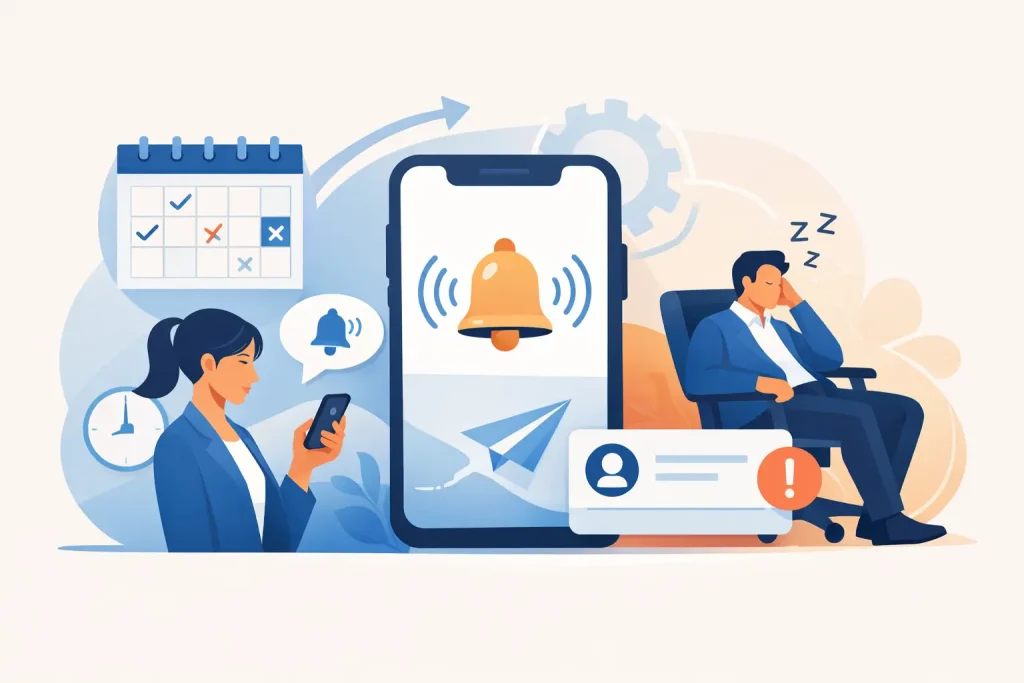
A booked appointment is not revenue yet. For a salon, counseling practice, home service company, or B2B consultancy, the sale can still disappear between calendar confirmation and the scheduled time. An automated no show reminder system closes that gap by keeping the appointment visible, easy to confirm, and simple to reschedule before a customer goes quiet.
The goal is not to send more messages for the sake of it. The goal is to protect the time you already spent and paid to win: the ad click, lead form, phone conversation, qualification process, and open calendar slot. When reminders are connected to your CRM, calendar, and follow-up workflows, no-shows become a measurable operational issue rather than an accepted cost of doing business.
Why No-Shows Are a Revenue System Problem
Most businesses treat missed appointments as a customer behavior problem. Sometimes it is. People forget, get busy, feel uncertain about the next step, or decide they cannot afford the service. But many no-shows happen because the business has not created enough commitment between booking and arrival.
A generic confirmation email sent immediately after scheduling is rarely enough. It can be buried in an inbox, sent to an outdated address, or ignored because there is no clear action for the prospect to take. The longer the gap between booking and the appointment, the more likely the customer is to lose urgency.
For high-value consultations, a no-show can also signal a qualification problem. If a prospect books in two clicks without understanding the offer, price range, or purpose of the call, they may reserve a slot without real intent. The answer is not simply harsher reminders. It is a connected process that qualifies the lead, confirms the appointment, reminds them at the right moments, and provides a friction-free path to reschedule.
What an Automated No Show Reminder System Should Do
A useful system does more than trigger a text the day before an appointment. It uses automation to move a person from “I booked” to “I am still committed to showing up.” That requires a sequence built around timing, channel preference, and the value of the appointment.
Confirm the booking immediately
The first message should arrive within seconds of booking. It should state the date, time, location or meeting link, and what the customer should expect. For an in-person beauty appointment, that could include arrival instructions and a cancellation policy. For a sales consultation, it may include a short pre-call question, a case study, or a reminder of the outcome the call is designed to help them reach.
This initial message should also ask for a simple confirmation. A reply such as “YES” or a one-click confirmation gives you an early signal of engagement. If the customer does not confirm, an automated workflow can send a follow-up instead of waiting until the appointment is already at risk.
Use SMS for time-sensitive attention
Email has a role, especially for detailed preparation information, forms, and longer messages. But SMS is usually better for time-sensitive reminders because it reaches customers where they are likely to see it.
A practical cadence may include a confirmation immediately after booking, a reminder 24 to 48 hours before the appointment, and a final reminder one to three hours beforehand. The exact timing depends on the service. A tree planting consultation scheduled weeks ahead needs more nurture than a same-day salon booking. A therapy practice must use more discretion and privacy-aware language than a contractor confirming an estimate.
The message itself should be short and specific. “You are scheduled for Tuesday at 2:00 PM. Reply C to confirm or use the link to reschedule” gives the recipient a clear next move. Avoid vague messages that force them to search for details or call the office.
Make rescheduling easier than disappearing
People often no-show because rescheduling feels inconvenient or awkward. They do not want to call, wait on hold, or explain why they need another time. If your reminder system includes a direct rescheduling link, many likely no-shows can become future appointments instead.
This matters because a rescheduled lead is still active pipeline value. Your CRM should preserve the contact record, previous conversations, booking history, and source attribution so your team can see whether the person is a first-time lead, repeat customer, or prospect who has moved an appointment multiple times.
There is a trade-off. A completely unrestricted rescheduling flow can encourage endless calendar movement. Set sensible limits, such as allowing self-service changes up to a defined number of hours before the appointment. After that, route the customer to your team or apply the policy you have communicated clearly.
Build the Workflow Around Appointment Status
The best reminders are not isolated campaigns. They respond to what the customer does.
When someone confirms, the system should stop sending confirmation prompts and shift to preparation reminders. When they reschedule, the old reminders must cancel immediately and a new sequence must begin for the updated time. When they cancel, the system should notify the right team member and, where appropriate, start a reactivation workflow after a reasonable delay.
If a person has not confirmed close to the appointment, that is the moment for an escalation. An AI agent or staff member can send a more personal message, ask whether they need a different time, or make a quick call for high-value appointments. Not every booking deserves the same level of intervention. A $50 service and a $5,000 consultation have different economics.
For businesses with multiple team members, the workflow also needs ownership rules. The appointment should be assigned to the right salesperson, practitioner, or location. Internal notifications can alert the assigned person when a lead confirms, when a reminder goes unanswered, or when a same-day slot opens up. That prevents the common handoff failure where everyone assumes someone else is following up.
The Messages Need to Match the Customer Journey
Reminder automation fails when every contact receives the same script. A new lead from a paid ad may need reassurance about what happens next. An existing client may only need the date and time. A prospect who booked a strategy call after reading your offer may need a reason to prioritize the conversation.
For service businesses, personalized fields make a major difference. Use the customer’s first name, service type, appointment time, staff member, and relevant location details. If the booking is virtual, include the meeting link again near the appointment time. Do not make someone dig through old messages when they are already running late.
The tone should be helpful, not desperate. “We are looking forward to helping you with your consultation” works better than pressure-heavy copy. At the same time, clarity beats softness when a slot has real value. If there is a cancellation policy or a limited number of consultation openings, state it professionally and early in the process.
Track the Metrics That Reveal Leakage
You cannot improve attendance by only looking at total bookings. Track confirmation rate, no-show rate, cancellation rate, reschedule rate, show rate by lead source, and show rate by appointment type. These numbers tell you where the problem starts.
For example, leads from one ad campaign may book at a high volume but confirm at a much lower rate than referral leads. That may point to weak ad-to-offer alignment, not a reminder problem. If no-shows rise for appointments booked more than seven days ahead, add an earlier value-based nurture touchpoint rather than simply adding more last-minute texts.
Also review response patterns. If customers commonly reply with questions about pricing, address, insurance, preparation, or available times, those answers belong in your booking flow and reminder sequence. Automation should reduce confusion before it reaches your staff.
Where AI and CRM Automation Add Real Value
A connected CRM can tag appointments by source, status, service, team member, and lead quality. That gives your business a complete view of the journey from first inquiry to attended appointment. AI can support the process by answering common questions, qualifying leads before they book, and following up with prospects who do not confirm.
The technology is not a substitute for judgment. Sensitive counseling, EMDR, PTSD, and wellness conversations require careful wording, consent, and human oversight. Likewise, regulated industries and businesses sending SMS in multiple regions need permission-based communication and proper opt-out handling. A system should protect the customer experience as well as the calendar.
At FZFunnel, we build appointment workflows as part of the full lead-to-booked-call system, connecting paid acquisition, funnel forms, GoHighLevel pipelines, AI follow-up, calendar logic, and multichannel reminders. The point is not another disconnected tool. It is making sure the lead your marketing creates has the best possible chance of becoming a real conversation.
A reminder sequence cannot force every customer to show up. It can, however, make commitment easier, uncertainty lower, and recovery faster when plans change. Start by treating every booked slot as active revenue in progress, then build the follow-up that protects it.