
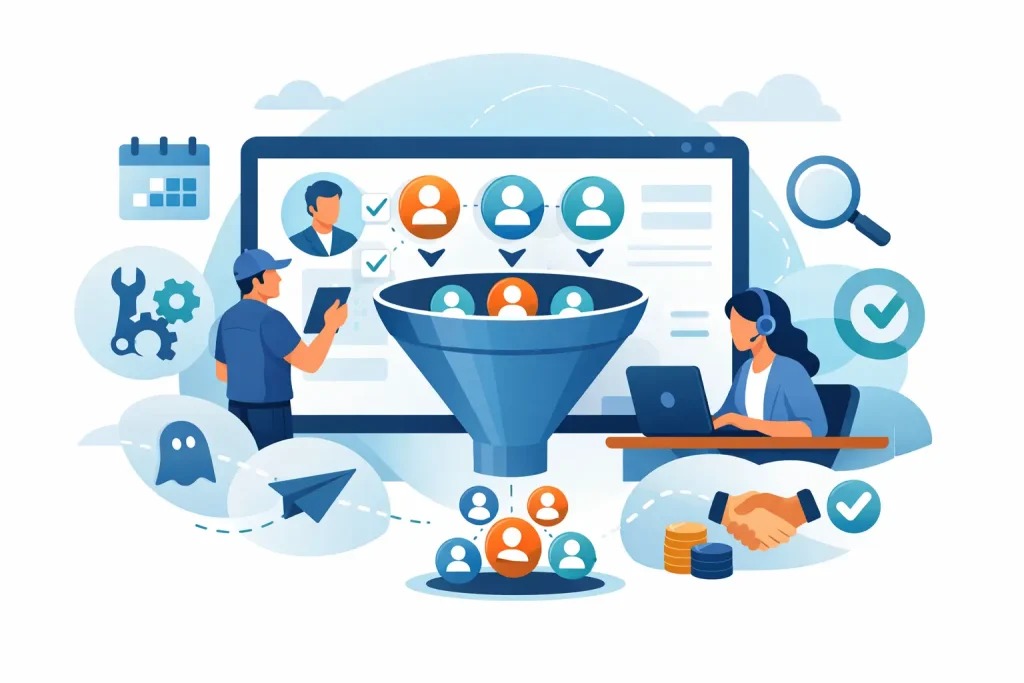
A lead submits a form at 9:14 p.m., asks for pricing, and is ready to talk. By 9:00 a.m. the next morning, they have booked with a competitor. This is the revenue leak a service business CRM is built to stop. It is not simply a place to store contacts. When configured around your actual sales process, it becomes the system that responds, tracks intent, follows up, qualifies prospects, and moves the right people onto your calendar.
For a salon, that could mean turning an Instagram inquiry into a consultation. For a home service company, it could mean routing an urgent estimate request to the right team member. For a consultant or wellness practice, it means nurturing a prospect who needs time and trust before booking. The mechanics differ, but the objective stays the same: no valuable lead should disappear because your team was busy serving an existing client.
What a Service Business CRM Should Actually Do
Many businesses buy a CRM and end up with an expensive contact database. The records are there, but the pipeline is unclear, follow-up relies on memory, and nobody can say which lead source produces booked calls. That is not a CRM problem. It is an implementation problem.
A useful CRM gives every inquiry a defined next step. The moment a prospect comes in from a landing page, Meta ad, Google ad, website form, phone call, or direct message, the system should create a contact record and assign the lead source. It should then trigger the appropriate response based on what that person requested.
If someone asks for a quote, they may need a short SMS confirming receipt, an email with relevant details, and a prompt to schedule an estimate. If they download a guide or request general information, a softer nurture sequence may be more appropriate. Treating both leads the same creates either unnecessary pressure or too little momentum.
The CRM should also show your team where every opportunity stands. A practical pipeline might include New Lead, Contacted, Qualified, Appointment Booked, Appointment Completed, Proposal Sent, Won, and Lost. Those stages are not just labels. They create accountability. When a lead sits in Contacted for five days with no next task, the team can see the problem before it becomes lost revenue.
Speed-to-Lead Is a Sales Advantage
Fast follow-up does not mean sending a generic auto-reply and hoping for the best. It means acknowledging the prospect quickly, asking a useful next question, and making it easy to take action.
For high-intent inquiries, a response within minutes can materially improve your chance of a conversation. A service business owner cannot realistically monitor every form submission and message around the clock, especially while managing staff, appointments, and delivery. Automation fills that gap without making your communication feel cold.
An AI agent can handle first-response conversations for common questions, gather details such as service type, location, budget range, or preferred appointment time, and direct qualified prospects to booking. Your team steps in when the inquiry needs expertise, reassurance, or a customized recommendation. The goal is not to remove people from the sales process. It is to remove the delay and repetitive admin that keeps people from doing their best work.
Build the CRM Around Your Customer Journey
A service business CRM works best when it reflects the way buyers make decisions, not the way software categories are organized. Start with the journey from first click to booked call, then build the system around each handoff.
Capture Every Lead in One Place
Fragmented lead capture creates blind spots. One person checks Facebook messages, another manages website forms, and a third receives calls or texts. Important details live in inboxes rather than in a shared record. As volume grows, this process becomes unreliable.
Connect every major source to the CRM so each inquiry enters one pipeline with source attribution. You should be able to answer basic questions quickly: Did this lead come from Google search, a Meta campaign, a referral, or organic social content? Did they book? Did they show up? Did they become a customer?
This visibility changes marketing decisions. Traffic and lead volume can look healthy while sales remain flat because a particular source produces low-intent inquiries, or because those leads are not receiving the right follow-up. A connected system lets you diagnose the actual bottleneck.
Create Follow-Up That Matches Intent
Most service sales are not won with one message. A prospect may be comparing providers, waiting for payday, checking availability, or discussing the decision with a partner. Without a structured sequence, the business usually follows up once or twice, then moves on.
Your CRM should run a measured combination of SMS, email, call tasks, and booking reminders. The sequence needs a clear reason for the prospect to respond. Remind them of the outcome they asked for, answer a common concern, share what happens next, or offer a simple path to schedule.
Frequency depends on the service and buying cycle. An emergency plumbing request needs immediate, direct communication. A premium wellness program may require a longer trust-building sequence. A B2B consultancy may need follow-up across several weeks, with messages tailored to the problem the buyer originally raised. Automation should support that nuance, not flatten every lead into the same template.
Qualify Before the Calendar Fills Up
More booked calls are useful only when they are worth your team’s time. For businesses with limited capacity or higher-ticket offers, qualification is essential.
Use forms, conversational AI, or pre-booking questions to collect the information your sales team needs. This may include location, service need, timeline, decision-maker status, budget fit, or current challenge. Keep it focused. A long questionnaire can reduce conversion, while too few questions leave your team unprepared.
The right balance depends on your offer. A local beauty service may only need service preference and availability. A counseling practice must prioritize respectful, privacy-conscious intake and should never use automation as a substitute for clinical judgment or crisis support. A home improvement company may need project type, property details, and geographic service area before offering an estimate slot.
Protect the Appointment After It Is Booked
Booking is a milestone, not the finish line. No-shows, reschedules, and unprepared prospects reduce the return on your marketing spend.
Automated confirmation messages, calendar reminders, and short pre-call instructions help protect the appointment. Send reminders through the channels your audience actually uses, often SMS and email together. Give people an easy option to reschedule instead of forcing them to disappear.
Your sales rep should also receive a clean contact timeline before the call: original source, answers to qualifying questions, previous conversations, pages visited when available, and the offer they responded to. That context creates a better conversation than asking a prospect to repeat everything they already shared.
Metrics That Reveal Whether Your CRM Is Working
A CRM should make performance visible without drowning you in reports. Focus on the points where money is either being created or lost: lead response time, contact rate, qualification rate, booking rate, show rate, close rate, and revenue by source.
Look at the gaps between stages, not just the total number of leads. If leads are being captured but few are contacted, your routing or notification process is failing. If many people book but do not show, review the reminder sequence and the expectations set before the call. If show rates are strong but close rates are weak, the issue may be offer positioning, sales process, or lead quality rather than CRM automation.
This is also why a CRM cannot compensate for a weak acquisition strategy or an unclear offer. It can ensure that leads are handled consistently and reveal where performance breaks down. It cannot make unqualified traffic profitable by itself.
Avoid the Common Setup Mistakes
The biggest mistake is building too much before validating the basics. Businesses often request dozens of tags, branches, and automations, then struggle to use the system. Start with the revenue-critical path: capture, immediate response, qualification, booking, reminders, and missed-call follow-up. Add complexity only when it serves a proven need.
Another mistake is automating messages that sound automated. Use your actual language, service details, and team personality. A short, clear message that names the requested service will usually outperform a polished but vague sequence.
Finally, assign ownership. Automation can notify the right person and create tasks, but a prospect still needs a responsible owner once a conversation becomes personal. Define who handles new leads, who follows up after no response, and who reviews pipeline hygiene each week.
FZFunnel builds these systems as connected lead-to-booked-call engines, combining paid acquisition, conversion-focused funnels, GoHighLevel pipelines, AI conversations, and follow-up workflows around the way each business sells. The value is not another dashboard. It is knowing that a prospect who raises their hand receives a relevant response and a clear route to the next step.
The best CRM setup feels almost invisible to the customer. They get quick answers, timely reminders, and an easy way to book. Behind the scenes, your team gets a dependable process that turns attention into real sales opportunities – even when you are busy delivering the service that earned the inquiry in the first place.